


![SoftPro™ Chlorine+ Carbon Whole House Water Filter to Remove PFAS, Chlorine, Chloramine & Pesticides [City Water Filters Series]](http://www.softprowatersystems.com/cdn/shop/files/SoftPro_Whole_House_Carbon_Filter_with_Spin_Down_Water_Filter.webp?v=1783547361&width=140)


 855-683-8488


Automatic Backwash Settings for Iron Filters: The Complete Homeowner's Programming Guide

Setting your iron filter's automatic backwash is simpler than you'd think, and getting it right makes all the difference. We recommend scheduling backwash cycles every four days to two weeks, depending on your iron levels and household usage. Program regeneration time at 1 AM or 4 AM to avoid peak demand. Monitor your pressure gauges closely — a drop signals it's time to adjust. Stick with us, and we'll walk you through everything you need to know.
Key Takeaways
- Set backwash frequency every 4 days to 2 weeks, adjusting based on iron concentration and household water usage.
- Schedule automatic backwash cycles at 1 AM or 4 AM to avoid disrupting daily household water demand.
- Unlock the control valve using the correct button sequence, verifying release before programming any backwash settings.
- Monitor pressure gauges regularly; a noticeable pressure drop signals media saturation and an overdue backwash cycle.
- Stagger backwash schedules if using a softener alongside an iron filter to prevent simultaneous regeneration cycles.
How Backwashing Keeps Your Iron Filter Running Clean

When your iron filter starts losing its edge, backwashing is what brings it back to life. Think of it as your system hitting the reset button.
By reversing the water flow, backwashing dislodges accumulated iron and debris from the media bed, restoring filtration efficiency before problems compound.
Each cycle runs 10 to 20 minutes, flushing contaminants out completely while preventing pressure drops and channeling issues that quietly sabotage performance.
Schedule it every 4 days to 2 weeks depending on your iron levels and usage, and your filter media can last up to five years.
Skip it, though, and saturation takes over.
Once that happens, untreated water bypasses the filter entirely—defeating the whole purpose of having one.
How to Unlock Your Filter's Control Valve and Access Backwash Settings
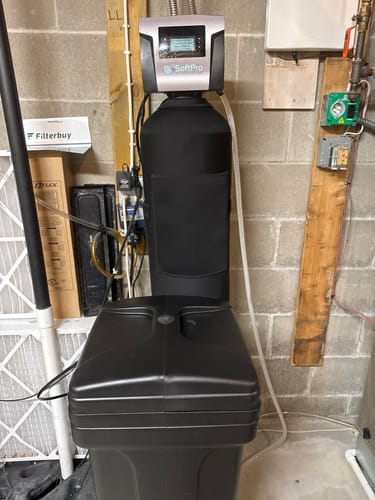
Need to relock it afterward? That same four-button sequence works both ways, keeping your settings protected from accidental changes.
Before diving into programming, always confirm the valve is actually released—skipping this verification step wastes time and creates frustration.
Also, since manufacturers occasionally vary their controls, keep your user manual nearby. Most valves follow this sequence, but your specific model might've slight differences worth knowing.
Step-by-Step: Programming Your Automatic Backwash Settings
Once the control valve is released, there are four key settings we'll program to get your iron filter running on autopilot.
| Setting | Recommended Value | Purpose |
|---|---|---|
| Regeneration Frequency | Every 4 days–2 weeks | Matches water usage and iron load |
| Regen Day (Iron/Sulfur) | Every 3 days | Prevents media exhaustion |
| Regeneration Time | 1 AM or 4 AM | Avoids household water demand |
| Softener Overlap | Staggered schedule | Prevents simultaneous cycles |
Start by setting regeneration frequency based on your iron concentration and daily usage. Next, lock in your Regen Day at every 3 days—don't let it collide with your softener's cycle. Then schedule backwash at 1 AM or 4 AM. Finally, watch your pressure gauges; a significant drop tells you backwashing is overdue.
Setting the Right Automatic Backwash Frequency for Iron and Sulfur
Getting the backwash frequency right is the single biggest factor in keeping your iron and sulfur filter performing at its best. We recommend starting within the 4-day to 2-week window, then adjusting based on your actual water usage and iron concentration.
Here's what separates good results from great ones: watch your pressure gauges religiously. A pressure drop tells you the media's saturating faster than your current schedule handles. High iron levels demand more frequent cycles—don't fight that reality.
This is where automatic systems earn their keep. They read real-time conditions and self-adjust, eliminating guesswork while preventing channeling and pressure drops that quietly destroy filter performance.
Dial this in correctly, and you'll extend your media's lifespan remarkably while maintaining consistent treatment output.
How to Diagnose and Fix Automatic Backwash Settings That Aren't Working
When your automatic backwash settings aren't delivering results, the fix is usually hiding in one of five places.
Start with the control valve — a locked or misconfigured valve kills proper backwashing before it begins.
Next, watch your pressure gauges; a significant drop tells you the filter media's saturated and screaming for a backwash cycle.
Then inspect the drain line for clogs, since blockages mean waste isn't actually leaving the system.
Don't overlook pH either — improper levels compromise your media's effectiveness regardless of how well everything else is dialed in.
Finally, cross-reference your manufacturer's guidelines for timing and duration.
We've seen homeowners waste thousands of gallons simply by running cycles too long.
Precision here protects both your system and your water bill.
Frequently Asked Questions
What Is the Backwash Rate for Iron Filter?
We recommend setting your backwash rate between 5 and 15 GPM. This range guarantees proper hydraulic agitation, preventing channeling while thoroughly dislodging accumulated iron particles from your filtration media for peak system performance.
How Do Automatic Backwash Filters Work?
Automatic backwash filters work by reversing water flow through the media bed, dislodging trapped iron particles and debris. We're fundamentally giving our filter a deep cleanse every few days, restoring peak filtration efficiency automatically.
How to Backflush an Iron Filter?
To backflush your iron filter, we'll release the control valve, set it to backwash cycle for 10 minutes, let reversed water flow dislodge trapped iron particles, then run a rinse phase to resettle the media properly.
What Is the Recommended Backwash Rate?
We recommend backwashing your iron filter every 4–14 days, depending on your water's iron concentration and household usage. Monitor your pressure gauges closely — a significant drop signals it's time to backwash before channeling compromises your filtration efficiency.