


![SoftPro™ Chlorine+ Carbon Whole House Water Filter to Remove PFAS, Chlorine, Chloramine & Pesticides [City Water Filters Series]](http://www.softprowatersystems.com/cdn/shop/files/SoftPro_Whole_House_Carbon_Filter_with_Spin_Down_Water_Filter.webp?v=1783547361&width=140)


 855-683-8488


Iron Filter Backwash Output Color Chart: What Every Different Color Actually Indicates About Your System

Your iron filter's backwash output color is one of the clearest signals your system gives you about its health. Clear water means everything's working as it should. Orange or red points to iron removal activity or potential overload. Dark brown or black suggests iron bacteria or exhausted media. Milky or cloudy output signals trapped air or clogs. Each color tells a different story, and knowing what to look for helps you catch problems before they become expensive headaches.
Key Takeaways
- Clear backwash confirms your filter is working efficiently, successfully capturing contaminants and maintaining optimal system performance.
- Light brown or yellow output indicates oxidized iron removal, signaling that routine maintenance is needed soon.
- Dark brown, black, or rusty water warns of exhausted media, iron bacteria, or serious filtration failure requiring immediate action.
- Red or orange backwash suggests ferric iron overload or a clogged filter bed, possibly requiring media rejuvenation or replacement.
- Milky or cloudy output points to trapped air, fine particles, or exhausted media needing thorough backwashing or replacement.
How to Read Your Backwash Output Color

The color of your iron filter's backwash output tells us a lot about what's happening inside the system.
Think of it as your filter's way of communicating its health status. Clear output means everything's working efficiently — iron levels are low, and your media's doing its job.
Light brown or yellow shades signal oxidized iron removal, but they're also an early warning to schedule maintenance.
Dark brown or rusty output demands immediate attention, as your media may be exhausted.
Milky or cloudy water typically points to trapped air bubbles or fine particles requiring a thorough backwash cycle.
Reddish or orange output indicates ferric iron isn't being captured effectively, meaning your media needs rejuvenation or replacement.
Each color tells a specific story — learn to read them confidently.
What Clear or Cloudy Backwash Color Indicates
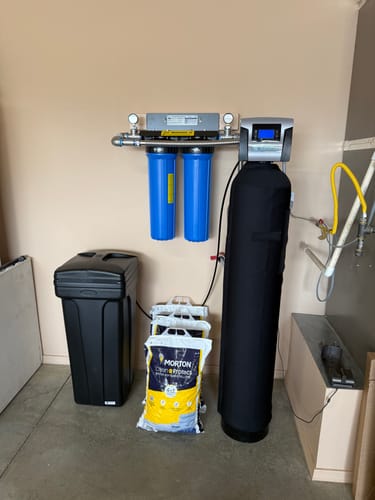
When backwash output runs clear, we're seeing the filter doing exactly what it should — efficiently pulling iron, sediment, and contaminants out of the water. That clarity signals healthy media still capturing particulates effectively.
Cloudy output tells a different story. It means fine particles are escaping, media may be exhausted, or a clog is developing. A sudden shift from clear to cloudy demands immediate inspection.
| Backwash Color | What It Indicates |
|---|---|
| Clear | Filtration is working; media is effective |
| Consistently cloudy | Exhausted media; replacement likely needed |
| Suddenly cloudy | Possible clog or system malfunction |
Tracking these changes during routine maintenance gives us an early-warning system — catching problems before they compromise water quality or damage the filter.
Red or Orange Backwash Color: Iron or a Clog?
Red or orange backwash is one of the most common — and telling — colors we'll see from an iron filter, but it doesn't always mean the same thing. Context matters here.
- Effective removal: Orange or red flushing often means the filter's capturing oxidized ferric iron — that's the system working.
- Overloading signal: Consistently bright red output suggests iron levels may be overwhelming the media, pointing toward maintenance or replacement.
- Clog or injector failure: Persistent discoloration despite regular maintenance cycles could indicate a clogged filter bed or a failing air injector, both of which compromise filtration efficiency.
Distinguishing between healthy iron removal and a developing problem comes down to tracking patterns over time — one discolored backwash differs considerably from recurring ones.
Dark Brown or Black Water During Backwash
Moving darker on the color spectrum tells a different story. Dark brown or black backwash water signals something more serious than standard iron buildup—it typically means excess iron and manganese are being violently dislodged from your filtration media. That's your system telling you it's overwhelmed.
There's another layer worth understanding: this darkness can indicate iron bacteria and organic matter have colonized your system, actively disrupting filtration at its core.
When you're seeing this color consistently, your media is likely saturated and needs immediate cleaning or replacement.
Don't ignore the plumbing either. Dark backwash that keeps returning warrants a full inspection of your pipes and valves for clogging.
Tracking this color pattern sharpens your ability to diagnose system performance before small problems compound into costly failures.
When Your Backwash Color Means Trouble
Backwash color is one of the clearest diagnostic tools we have—and certain shades are hard stops that demand immediate action.
When we see these colors, we're looking at active system failure, not routine wear.
Watch for these critical warning signs:
- Rusty or orange water: Iron particles are bypassing filtration—your system's losing the battle against contamination.
- Dark brown or black water: Iron bacteria have colonized your media, creating clogs that'll compromise treatment capacity fast.
- Brownish hue: Your filtration media is exhausted and can no longer capture contaminants effectively.
Each of these signals requires a different response, but they share one common thread—waiting makes everything worse.
Clear backwash remains our target, confirming the system's actually doing its job.
Frequently Asked Questions
How Often Should an Iron Filter Backwash?
We recommend backwashing your iron filter every 2-4 weeks for high iron levels, or every 3-12 months for lower concentrations. Watch for dropping pressure or rusty stains—they'll tell you it's time.
What Are the Signs of Iron Contamination in Water?
We've identified iron contamination through rust-colored stains on sinks and tubs, a metallic taste in tap water, yellow or brown standing water discoloration, rotten egg odors, and iron concentrations exceeding 0.3 mg/L during testing.
How to Check Iron Filter System for Clogging?
We'll check for clogging by listening for absent gurgling sounds during regeneration, inspecting backwash output color, measuring pressure drops, watching for orange stains on fixtures, and regularly testing water for rising iron levels.
What Color Does Iron Turn Water?
Iron turns water yellow, orange, or reddish-brown. If your water's clear when drawn but darkens upon standing, that's ferrous iron oxidizing. We're seeing ferric iron when discoloration appears immediately from the tap.