


![SoftPro™ Chlorine+ Carbon Whole House Water Filter to Remove PFAS, Chlorine, Chloramine & Pesticides [City Water Filters Series]](http://www.softprowatersystems.com/cdn/shop/files/SoftPro_Whole_House_Carbon_Filter_with_Spin_Down_Water_Filter.webp?v=1783547361&width=140)


 855-683-8488


Iron Filter Backwash Timer Settings: What the Manufacturer's Manual Doesn't Fully Explain

Manufacturer manuals give you a baseline for iron filter backwash timer settings, but they're designed for generalized conditions, not your specific water. Your iron concentration, flow rate, and usage patterns all affect how often and how long your system needs to backwash. Get it wrong, and you'll face pressure drops, red water, or premature filter wear. We're breaking down exactly what the manual leaves out so you can dial in your settings with confidence.
Key Takeaways
- Manufacturer timer settings are designed for generalized conditions, often failing to account for unique water characteristics like iron concentration and usage patterns.
- Higher iron concentrations require more frequent backwashing beyond standard intervals, while increased flow rates demand longer cycles for effective cleaning.
- Monitor water pressure continuously and aim for 20% filter bed expansion to confirm backwash cycles are performing correctly.
- Red or rust-tinted water and sudden pressure drops signal incorrect timer settings, requiring immediate recalibration to prevent iron buildup.
- Over-frequent or excessively short backwash cycles accelerate component wear and compromise filtration, making precise timer calibration essential for system longevity.
Why Manufacturer Timer Settings Fail Iron Filter Users

Why do so many iron filter owners end up with rust-stained fixtures and sluggish water pressure despite following their system's recommended timer settings?
Because manufacturers design those settings for generalized conditions, not yours. Your water's iron concentration, sediment load, and usage patterns are unique—yet the manual treats them as universal.
Manufacturers design timer settings for generalized conditions—not yours. Your water is unique. Your manual doesn't know that.
Here's what's actually happening: preset timers don't account for local iron levels, so backwashing frequency falls short. Decreased flow rates—a clear signal your system needs more frequent backwashing—go unmentioned.
Peak usage periods? Rarely addressed. And without practical examples showing how to calibrate settings to real-world conditions, most users don't know what they're missing.
We're not blaming you. The manuals simply weren't built to help you master your specific system.
How Iron Concentration and Flow Rate Determine Your Backwash Timer Setting
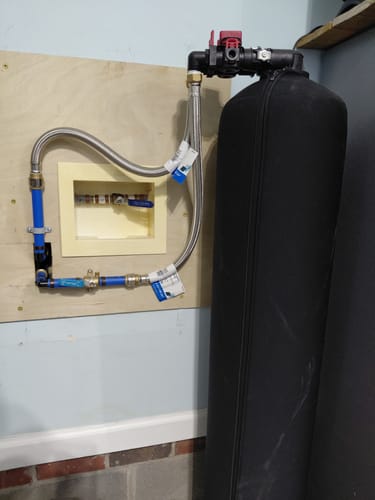
Two variables do most of the heavy lifting when it comes to dialing in your backwash timer: iron concentration and flow rate.
Get these two wrong, and no amount of manufacturer guidance will save your filter from premature clogging.
Higher iron concentrations demand more frequent backflushing—sometimes beyond the standard 10-15 minute baseline. Meanwhile, higher flow rates require longer cycles to achieve proper bed expansion and flush sediment effectively. These two variables don't operate in isolation; they compound each other.
Here's a practical starting point: monitor your pressure differential. A sharp drop signals iron buildup and tells you your current timer settings aren't keeping pace.
Use that data to adjust duration and frequency until your system performs consistently. Real-world feedback always outperforms factory defaults.
How to Set Your Iron Filter Backwash Timer Correctly
Setting the dial correctly starts with following the manufacturer's baseline: most iron filters call for a backwash cycle every 3 to 7 days, with each cycle running 10 to 15 minutes.
But don't just set it and forget it. Watch your water pressure closely. A noticeable drop signals potential clogging, which means you'll need to shorten the interval between cycles.
During each backwash, we're aiming for a 20% expansion of the filter bed — you can actually observe this through the backwash output, giving you a real-time confirmation that cleaning's working.
Also, any time you perform maintenance or swap out filter media, reset the timer immediately. Updated system conditions demand updated settings.
Precision here isn't optional — it's what separates a well-maintained system from a failing one.
Pressure Drops and Red Water: Signs Your Backwash Timer Is Off
There are two warning signs that should immediately put your backwash timer settings under scrutiny: dropping water pressure and red-tinted water coming from your taps. Both signal that iron accumulation is outpacing your filter's cleaning cycles.
Here's what we recommend watching for:
- Sudden pressure drops often mean the filter media is clogged from insufficient backwash frequency.
- Red or rust-colored water indicates disturbed iron sediment escaping the filter.
- Timing gaps between cycles allow iron buildup to overwhelm the system.
- Overly frequent cycles waste water without improving filtration efficiency.
- Regular iron level testing confirms whether timer adjustments are actually working.
Adjust your settings per manufacturer guidelines, but let observed water quality patterns guide your decisions.
Don't wait until staining appears—act at the first sign.
Iron Filter Backwash Mistakes That Kill Filter Life Early
Backwash mistakes don't just hurt your water quality—they quietly shorten your filter's life in ways you won't notice until the damage is done.
Backwashing too frequently accelerates wear on internal components, driving up maintenance costs faster than you'd expect.
Under-expanding the filter bed—below that critical 20-30% threshold—lets contaminants accumulate, slowly strangling filtration efficiency.
Insufficient bed expansion doesn't just reduce efficiency—it lets contamination build silently until your filter can no longer recover.
Running cycles outside the 10-15 minute window either leaves debris behind or grinds components down prematurely.
Skipping rinse mode after backwashing reintroduces particulates you just removed, making the entire process pointless.
Perhaps most damaging: ignoring manufacturer specifications creates pressure imbalances that silently compromise your filter's structural integrity.
Each mistake compounds the others.
We've seen filters fail years early simply because these settings were never dialed in correctly.
Frequently Asked Questions
How Long Should an Iron Filter Backwash?
We recommend running your iron filter backwash for 10 to 15 minutes. That's your sweet spot for flushing accumulated iron and sediment effectively. Don't skip the follow-up 5-minute rinse cycle—it's essential for clearing remaining particles before returning to service.
What Is the Recommended Backwash Rate?
We recommend a backwash rate of 6-10 GPM, depending on your filter's size and model. You'll also want to achieve 20% bed expansion during backwashing—that's what guarantees you're getting truly effective cleaning results.
What Is the Difference Between Manual and Automatic Backwash Filter?
We'll find that manual filters require you to trigger backflushing yourself, while automatic filters handle it independently via timers or pressure sensors—making automatic systems more reliable, though manual options remain more budget-friendly.
How to Calculate Backwash Time?
We calculate backwash time by factoring in filter size, manufacturer guidelines (typically 10–15 minutes), and flow rate monitoring. Larger systems need longer cycles, and pressure drops signal when we should extend backwash duration.