


![SoftPro™ Chlorine+ Carbon Whole House Water Filter to Remove PFAS, Chlorine, Chloramine & Pesticides [City Water Filters Series]](http://www.softprowatersystems.com/cdn/shop/files/SoftPro_Whole_House_Carbon_Filter_with_Spin_Down_Water_Filter.webp?v=1783547361&width=140)


 855-683-8488


Iron Filter Programming: How to Set Backwash Timer Settings for Maximum Regeneration Efficiency

Setting your iron filter's backwash timer correctly keeps your water clean and your fixtures rust-free. We recommend scheduling regeneration every one to three days if your iron levels exceed 5 ppm, and programming cycles during off-peak hours like 1 AM or 4 AM to avoid disruptions. Your timer acts as an internal clock, flushing out buildup before it causes pressure drops or staining. Stick around, because we've got everything you need to dial in the perfect settings.
Key Takeaways
- Set regeneration frequency based on iron levels: every 3 days for under 3 ppm, every 2 days for 3–5 ppm, and daily for over 5 ppm.
- Schedule backwash cycles during off-peak hours, ideally at 1 AM or 4 AM, to minimize household water disruption.
- Access the Clack WS1 installer settings by holding function buttons while pressing "Next" to configure timer parameters.
- Increase backwash frequency immediately if pressure drops below 30 psi, rust stains appear, or unpleasant odors develop.
- Document water quality changes and filter performance patterns regularly to make informed adjustments and extend media lifespan.
How a Backwash Timer Controls Iron Filter Regeneration

When iron levels climb above 5 ppm, the backwash timer becomes the brain of your filtration system, automatically triggering regeneration cycles every 1-3 days to flush out accumulated iron and mineral buildup.
Think of it as your filter's internal clock, orchestrating precisely timed cleanses that keep your water flowing clean and your media performing at peak capacity.
We've seen what happens when this timing slips—rust stains creep onto fixtures and pressure readings drop, warning signs that your system's falling behind.
But when the timer's dialed in correctly, it coordinates regeneration before buildup becomes a problem.
Monitoring pressure readings alongside your timer settings gives you the feedback loop needed to catch inefficiencies early and make targeted adjustments that genuinely extend your filter media's operational life.
Set Your Clack WS1 Backwash Timer for Iron Filtration
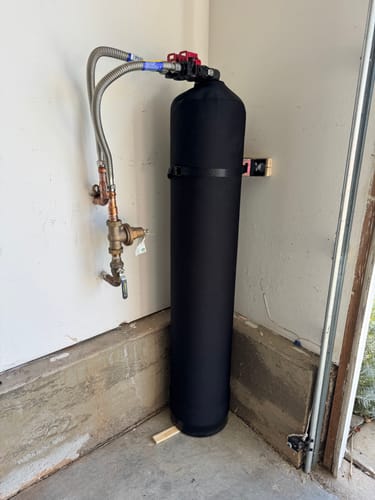
Setting up your Clack WS1 backwash timer takes just a few key steps, and getting them right means the difference between crystal-clear water and rust stains creeping across your fixtures.
Hold the function buttons while pressing "Next" to enter installer settings. If your iron exceeds 5 ppm, schedule regeneration every one to three days. Pick off-peak times like 1 AM or 4 AM to protect your household's water pressure.
| Iron Level | Regeneration Frequency | Ideal Time |
|---|---|---|
| Under 3 ppm | Every 3 days | 4 AM |
| 3–5 ppm | Every 2 days | 1 AM |
| Over 5 ppm | Daily | 1 AM |
Always reset your timer after extended power outages, and document performance patterns to refine your settings over time.
How Often Should You Run a Backwash Cycle?
Backwash frequency is the heartbeat of your iron filter's long-term performance, and getting it right means your system works smarter, not harder.
If your iron levels exceed 5 ppm, we recommend backwashing every 1-3 days — your filter's working overtime, and it needs recovery time to match. For moderate levels between 3-5 ppm, weekly backwashing keeps clogging at bay without overworking the system.
Below 1 ppm? Your standard schedule holds up fine.
Don't set it and forget it, though. Summer usage spikes can shift iron levels unexpectedly, so we adjust seasonally when needed.
We also watch pressure readings closely — a rising pressure differential tells us the filter's struggling before it becomes a real problem.
Adjust Your Backwash Timer for High Iron Levels
Once we recognize how often to run backwash cycles, the next step is dialing in the timer settings to match what your water's actually throwing at the filter. If you're dealing with iron levels above 5 ppm, we're talking regeneration every one to three days — no exceptions.
Set your timer for early morning, around 1 AM or 4 AM, so backwashing never interrupts daily usage.
Watch your pressure readings too. Anything dropping below 30 psi signals it's time to increase frequency.
Here's what separates good filtration from great filtration: documentation.
Track your water quality changes and filter performance consistently. That data tells you exactly when to fine-tune your settings, keeping your media clean and extending its lifespan well into that six-to-eight-year range.
Warning Signs Your Backwash Timer Needs Reconfiguring
Even the best-configured timer will eventually show cracks, and knowing the warning signs early saves you from bigger headaches down the line.
Watch for these red flags: declining water pressure often means sediment's building up faster than your system can flush it. Rust stains or inconsistent water quality signal your backwash schedule isn't keeping pace with iron demand.
Declining pressure and rust stains aren't random—they're your system flagging a backwash schedule that can't keep up.
That rotten egg smell? It's telling you regeneration frequency is falling short. Missed cycles or unexpected timing shifts indicate misconfiguration that's quietly degrading performance.
Any single one of these symptoms warrants immediate attention—waiting compounds the problem. Once you've spotted the warning sign, revisit your timer settings, cross-reference your iron levels, and recalibrate accordingly.
Your system's communicating; you just need to listen.
Frequently Asked Questions
How Often Should My Iron Filter Be Regenerated?
We recommend regenerating your iron filter every 1-3 days if your iron levels exceed 5 ppm. For moderate levels of 3-5 ppm, monitor closely and adjust your schedule to maintain peak filtration performance.
What Is the Backwash Rate for Iron Filter?
We've found that your iron filter's backwash rate typically runs between 2 to 4 GPM, depending on your system's size and design. Getting this rate right guarantees you're effectively flushing out accumulated iron and sediment every cycle.
How to Set Water Softener Regeneration Time?
To set your water softener's regeneration time, we'll access Installer Settings by pressing Next and holding both buttons. Set your Regen Day to every 3 days, then schedule regeneration between 1-4 AM for maximum efficiency.
What Is the Recommended Backwash Rate?
We recommend backwashing every 1-3 days when iron exceeds 5 ppm. For moderate levels (3-5 ppm), monthly monitoring suffices. Below 1 ppm, we'll follow standard schedules. Always watch pressure readings—they'll tell us when adjustments are needed.