


![SoftPro™ Chlorine+ Carbon Whole House Water Filter to Remove PFAS, Chlorine, Chloramine & Pesticides [City Water Filters Series]](http://www.softprowatersystems.com/cdn/shop/files/SoftPro_Whole_House_Carbon_Filter_with_Spin_Down_Water_Filter.webp?v=1783547361&width=140)


 855-683-8488


Iron Filter Programming and Backwash Timer Settings: The Step-by-Step Homeowner's Guide

To program your Clack WS1 iron filter, we'll start by opening the valve using the Down, Next, Up, and Set Clock sequence. Then we'll switch the filter type from Softening to Filtering, confirm DPI is off, and set the backwash to regenerate every 3 days at either 1 am or 4 am. Getting these settings right means cleaner, odour-free water throughout your home. Stick with us and we'll walk you through every step.
Key Takeaways
- Unlock the Clack WS1 valve by pressing Down, Next, Up, then Set Clock before making any programming changes.
- Change the filter type setting from Softening to Filtering and confirm DPI is set to off for proper iron removal.
- Set the Regen Day to every 3 days to effectively manage iron and sulphur buildup in the filter.
- Schedule Regen Time at 1 am or 4 am to avoid conflicts with your water softener's regeneration cycle.
- After any power outage, reset the timer to ensure accurate regeneration scheduling and consistent filter performance.
Unlock Your Clack WS1 Before Programming

Before we engage in programming your iron filter, there's one critical step we can't skip — releasing the Clack WS1 valve. Without freeing it first, we simply can't access any programming options.
Here's the release sequence: press Down, Next, Up, then Set Clock — in that exact order. Simple, but precise.
Before attempting this, we need to verify the valve isn't locked by your water treatment company or any third party. If it is, that's a conversation worth having before proceeding.
Before touching anything, confirm no third party has locked your valve — if they have, resolve that first.
Once we've entered the sequence, confirm the valve is genuinely in an unlocked state. If it's still locked, repeat the sequence.
Mastering this step guarantees every adjustment we make afterward actually sticks — so don't rush it.
Set the Filter Type for Iron and Sulphur Removal
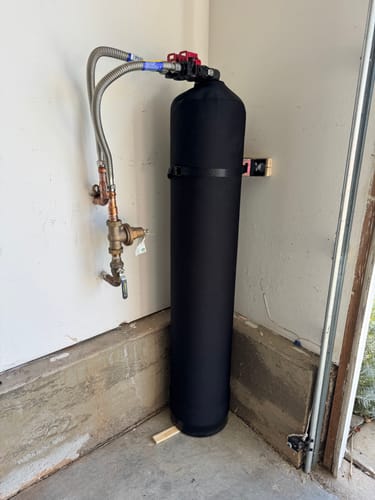
With the valve opened, we can now tell it exactly what job it's doing. Head into the programming menu and locate the filter type setting—it'll default to Softening.
That's not what we want here. Use the Down and Next button combination to switch it from Softening to Filtering.
This single change reconfigures how the valve manages its cycles specifically for iron and sulphur removal.
While you're in the Installer Settings, confirm the DPI is set to "off"—this is non-negotiable for the filter type to operate correctly.
Also verify your valve size reads around 1.0 inches, which is standard for most residential setups.
Getting these details right now prevents performance issues down the line. Small settings, big consequences.
Set Your Backwash Timer the Right Way
Now that the filter type is locked in, let's get the backwash timer dialed in—because this is where the real work happens.
Access the Installer Settings by pressing Next while holding both Up and Down buttons simultaneously. From there, set your Regen Day to every 3 days—that's the sweet spot for managing iron and sulphur effectively.
Next, set the Regen time carefully. We recommend either 1 am or 4 am to avoid conflicts with your water softener's schedule. These two systems can't backwash simultaneously, so timing matters.
Set your regen time to 1 am or 4 am—your filter and softener can't backwash at the same time.
One more thing: after any extended power outage, reset this timer immediately. Don't assume it held its settings.
Keep an eye on the days-remaining display so you're never caught off guard before the next regeneration cycle.
Program the Regeneration Cycle in Installer Settings
Getting the backwash timer set is just the start—now let's walk through programming the full regeneration cycle inside Installer Settings. Access this menu by pressing "Next" while holding both "Up" and "Down" simultaneously.
Once inside, set "Regen Day" to every 3 days. That cadence hits the sweet spot for managing iron and sulfur without overworking your system.
For "Regen Time," we recommend 1 AM or 4 AM—but check your water softener's cycle length first. Conflicts between the two systems create real problems.
Two things we can't stress enough: confirm your DPI setting, since it defaults to "off" and directly affects regeneration timing.
Also, reset your timer after any extended power outage. Skipping that step quietly throws your entire schedule off.
Check the Display to Confirm Your Iron Filter Is Set Correctly
Once you've finished programming, let's do a quick visual check to make sure everything took. Start by confirming the valve is opened using the button sequence: Down, Next, Up, Set Clock.
Next, verify the display shows Filtering rather than Softening — that distinction matters enormously for iron and sulphur removal.
Check that the valve size reads 1.0 inches unless you're running a larger commercial setup.
Your Regen Day should show every 3 days, and your Regen time should be set to 1 am or 4 am to avoid conflicting with your water softener's cycle.
Finally, confirm the flow screen reads 00 if you haven't connected a flow meter. If everything lines up, you're secured and ready to go.
Frequently Asked Questions
How Often Should an Iron Filter Backwash?
We recommend backwashing your iron filter every 3 to 5 days, depending on your iron levels. Regular backwashing prevents clogging and keeps your system running at peak efficiency for consistently clean, iron-free water.
What Is the Correct Order of Water Filters?
We recommend starting with a sediment filter, then carbon, water softener, iron filter, and finally a reverse osmosis unit. This sequence protects each filter, maximizes efficiency, and guarantees you're getting the cleanest water possible.
Will a Water Softener Reduce Iron?
Yes, a water softener can reduce ferrous (dissolved) iron, but it won't tackle ferric (particulate) iron effectively. For higher iron concentrations, we'll want to pair it with a dedicated iron filter.
How to Backflush an Iron Filter?
To backflush your iron filter, we'll press the Regen Button on the valve control panel. Confirm the valve's opened, set regeneration every 3 days, schedule it at 1-4 am, and confirm the flow screen reads 00.